Maintenance Request Software That Turns Every Report into Action
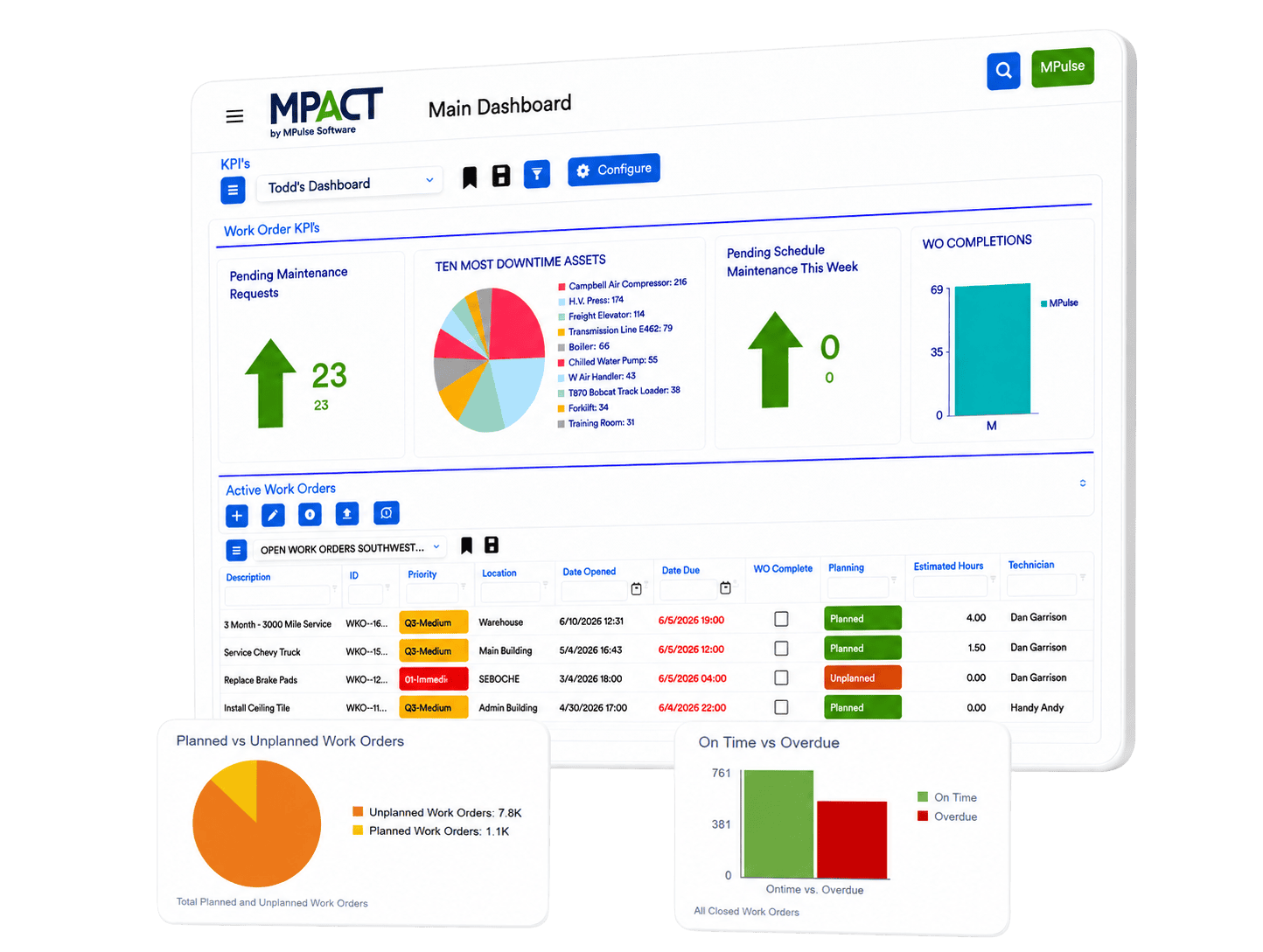
Give everyone in your organization one way to report a problem, and give your team one queue to manage it. MPACT CMMS by MPulse Software collects requests, routes approvals, and converts approved requests into live work orders without leaving the screen. Requesters are free and unlimited.
What Is Maintenance Request Software?
Maintenance request software gives employees, tenants, or customers a simple way to report issues, and gives the maintenance team a structured way to review, approve, assign, and track them through completion. In MPACT, requests flow into the same system that manages work orders, assets, and parts, so nothing gets retyped and nothing gets lost.
Where Requests Go Wrong
In most operations, problems arrive from every direction: an email to the supervisor, a call to the front desk, a comment in the hallway. Some get written down. Some get remembered. Some surface three weeks later as breakdowns that started as a noise somebody mentioned once.
A request system fixes the intake problem first. One channel, one record per issue, one status everyone can see. MPACT adds the part most systems miss: the handoff from request to work order happens on one screen, with people and parts attached before you convert.
Request Management Built into Your CMMS
Intake that meets people where they are
From request to work order without leaving the screen
Free, unlimited requesters
Automated status updates
Approval routing for controlled operations
Permissions that keep views clean
Built for the People Doing the Reporting
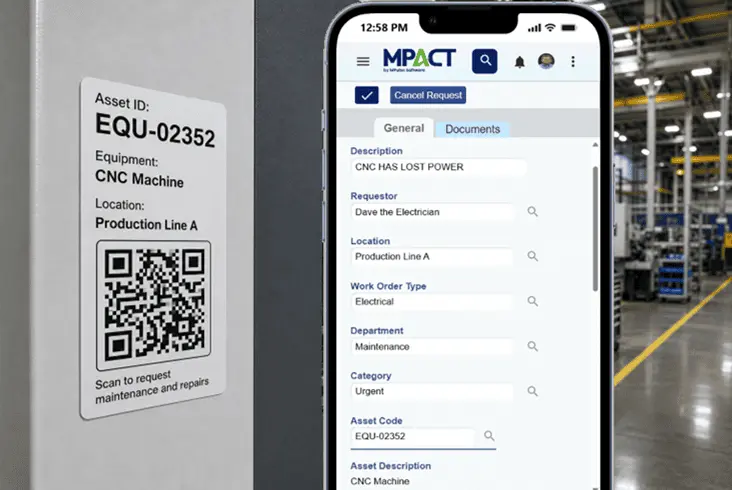
Request systems fail when reporting a problem is harder than ignoring it. MPACT keeps the requester side simple: scan or click, describe the issue, submit, and get updates automatically. The maintenance side gets structure; the requester side gets ease. That is why the intake channel actually gets used.
Frequently Asked Questions About Maintenance Requests
No. Requester accounts are free and unlimited in MPACT. You pay for the people who manage and perform the work; everyone else reports problems at no cost.
Through a simple web form, or by scanning the QR code tag on an asset, which files the request against the right equipment automatically without a login.
Yes. Requests can route to designated approvers, who act on them and leave notes, creating a permanent record of each decision before a work order is created.
MPACT sends automated updates as the request changes status, so requesters stay informed without calling your team.
Your team adds personnel and parts, then converts the request to a live work order without leaving the screen. From there it is tracked like any other job: time, costs, checklists, and history.
One Channel In. Zero Requests Lost.
See the intake-to-work-order flow live, including the QR request your frontline will actually use.