Work Order Software That Keeps Every Job Moving

The highest-priority work gets done, and the low-priority work stops slipping through the cracks. MPACT CMMS by MPulse Software manages every work order from request to history: assigned, prioritized, costed, and completed with nothing retyped and nothing lost.

Built for the Way Work Actually Gets Done

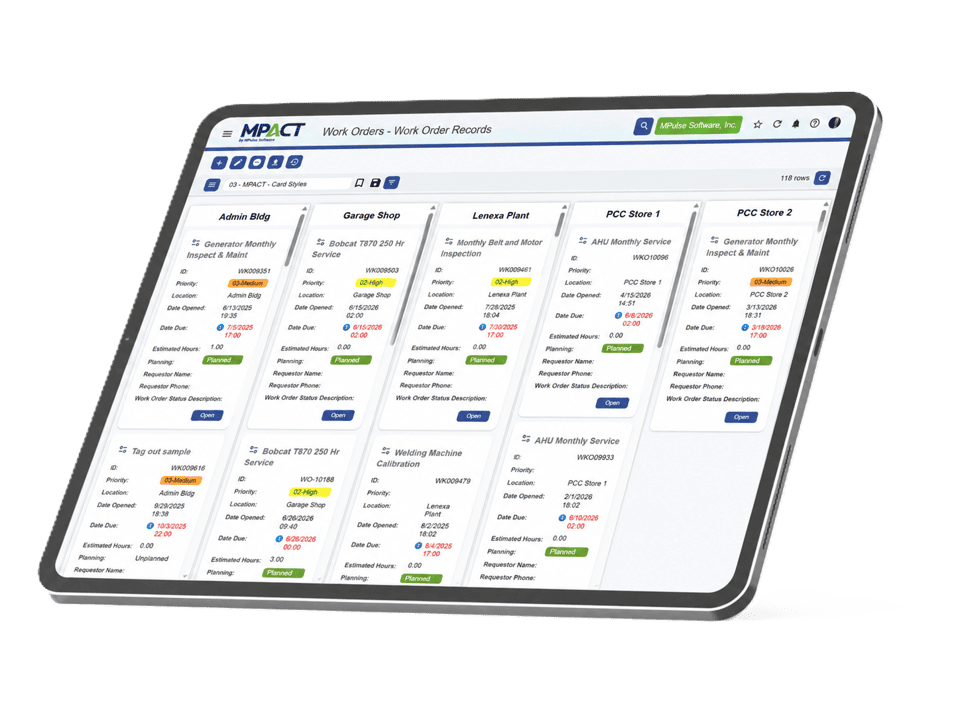
The ability to quickly locate and complete work orders is a key factor in the success of any work order management software.

What Is Work Order Software?

Work order software creates, assigns, tracks, and documents maintenance work. Each work order links the asset, the technician, the tasks, the parts, and the costs in one record, so the team knows what to do and the history builds itself. In a CMMS like MPACT, work orders connect to preventive schedules, requests, and inventory, making them the operating record of the whole maintenance function.

Where Work Falls Through the Cracks

Work gets lost in the handoffs: the request that never became a job, the job that never got a due date, the completed repair nobody documented. Each crack costs twice, once in the delay and again in the missing history when the same failure returns.

MPACT closes the handoffs. Requests convert to work orders on one screen. Assignments notify the technician automatically. Required fields make closeout documentation a condition of finishing, not a favor.

Highlights of the Work Order Management Software

Key Features and Benefits

Unlimited work orders and task records

No caps and no per-record pricing. Create and retain every job, from the two-minute fix to the multi-week overhaul.

Priorities you can see

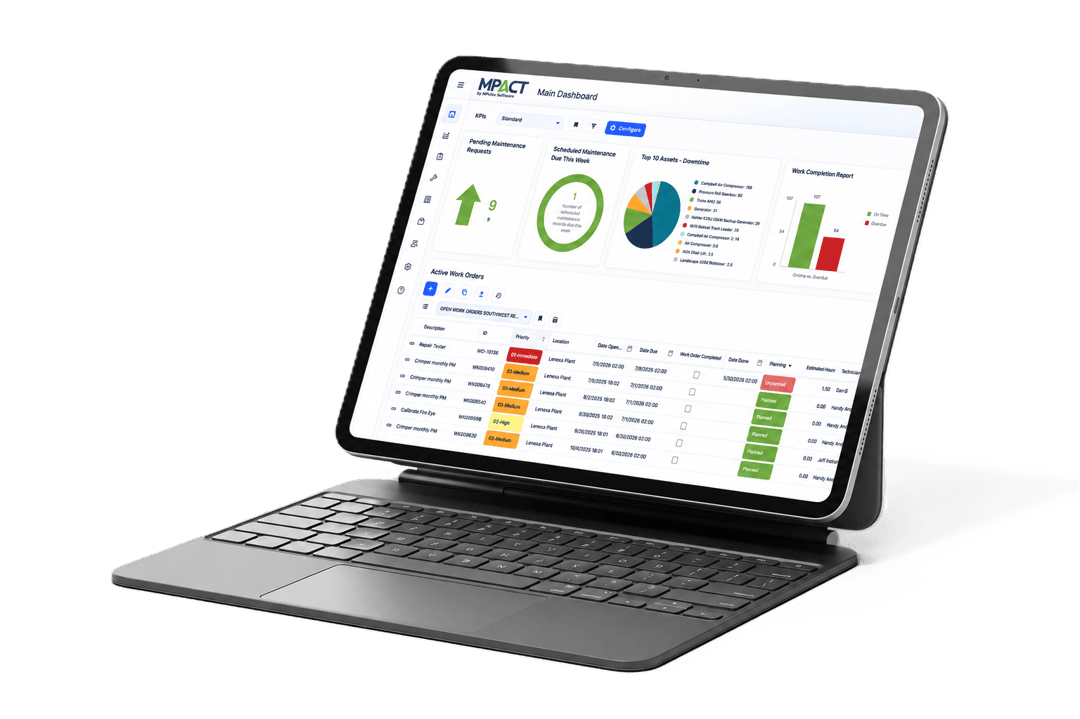
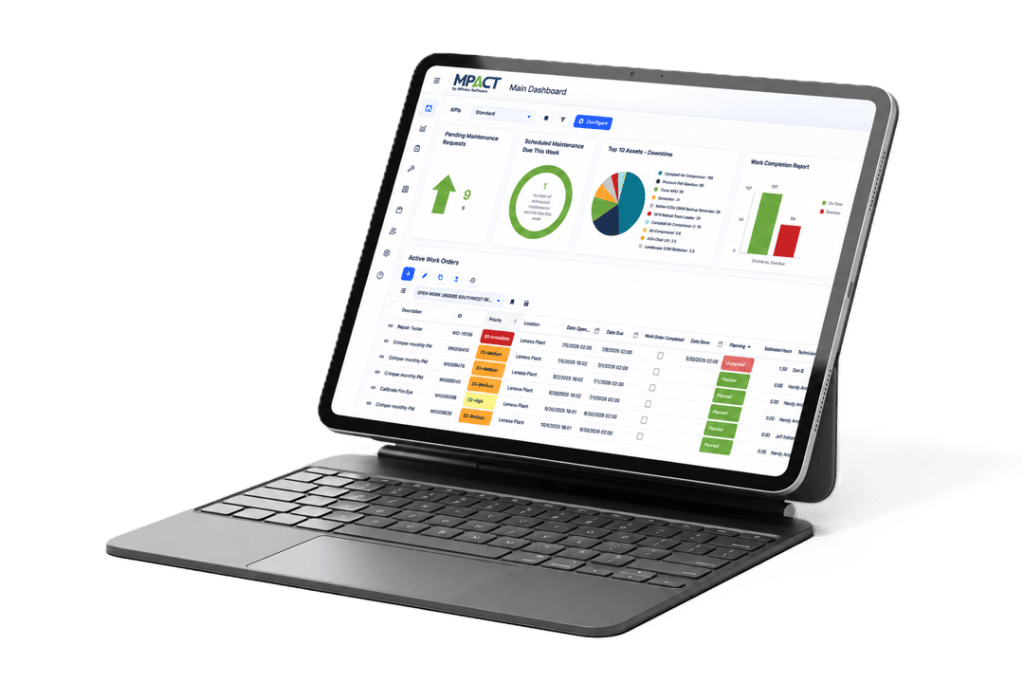
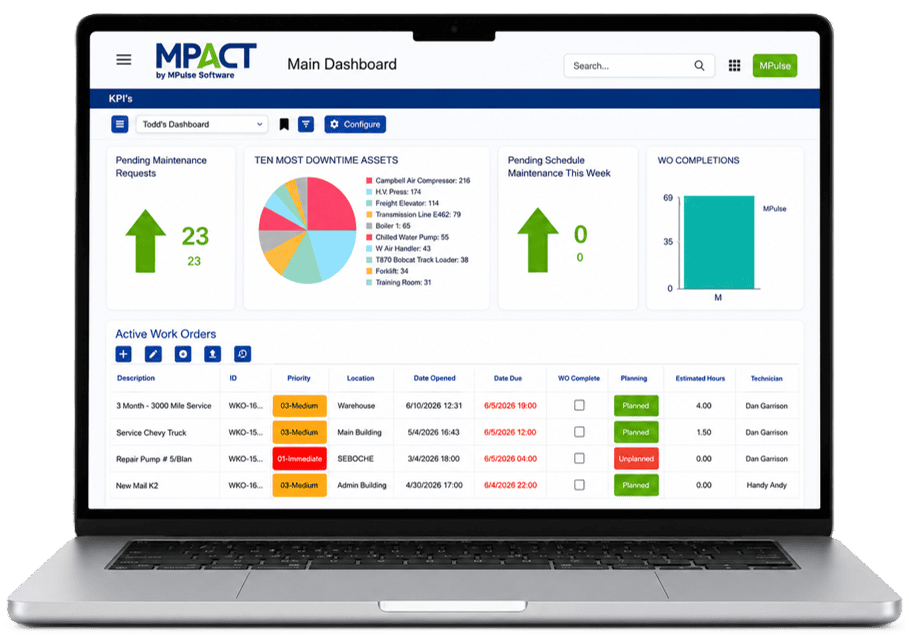
Filterable grids with color-coded priorities, due dates, and statuses turn triage into a glance. The overdue critical job looks different from everything else, because it should.

One-screen request conversion

Review an incoming request, add personnel and parts, and convert it to a live work order without leaving the screen. High-velocity operations dispatch in the time it used to take to find the form.

Checklists and required fields

Define the steps and the information a job must capture before it closes. Closeout quality stops depending on who happened to do the work.

Failure, reason, and repair codes

Structured capture of what failed, why, and how it was fixed feeds the reliability analysis that ends repeat failures.

Time, cost, and downtime on every job

Labor hours, parts, downtime, and duration post to the work order and roll up to the asset, building the cost history that budget and repair-or-replace decisions run on.

Multi-asset work orders

One work process spanning multiple assets stays one work order, with history landing on every asset it touched.

Work order types, groups, and custom fields

Organize work by maintenance type, department, or process, and add calculated fields for the measures your organization tracks. Your structure shows up in your data.
Years of Experience
0 +

From Created to Completed to Remembered

A work order in MPACT starts from a request, a schedule, or a manager’s keyboard. It gets a priority, an assignee, a due date, and everything the technician needs: instructions, checklists, attachments, asset history, and parts. The technician completes it from the adaptive web app or the offline mobile app (an add-on), logging hours, readings, and photos as they go. And when it closes, it joins the permanent record of the asset, searchable the next time anyone asks what has been done to this machine.

Get the Cracks Out of Your Workflow

Bring your ugliest work order backlog to a demo. We will show you what triage, dispatch, and closeout look like when the system does the coordination.

Frequently Asked Questions About Work Order Software

Why Do I Need Work Order Management Software?

Organizations reach for work order software when whatever they are doing stops working: jobs slipping, no visibility into status, no history when it matters. Work order software fixes the mechanics (creation, assignment, tracking, documentation) so the team’s effort goes into the work instead of the coordination.

These eight features should be available in any work order management solution…

  1. Asset Records store details about equipment, buildings, vehicles, or other assets—asset name, purchase date, purchase price, serial number, location, and other important details.
  2. Employee Records store information about your employees—names, contact information, certifications, etc.
  3. Inventory Records record details about spare parts and consumables you have on hand—type, model, serial number, manufacturer, supplier name, location name, item number, item state, unit of measure, etc.
  4. Work Orders link all the elements of repair and maintenance work in one place.
  5. Basic Inventory Management helps you keep up with the spare parts and consumables you have on hand.
  6. Basic Reporting tools help you create meaningful information from the data recorded for assets, employees, inventory, schedules, and work orders.
  7. Preventive Maintenance Scheduling enables you to establish, monitor, and execute preventive maintenance schedules (both time- and meter-based).
  8. Service Requesting is essential when you get repair requests from either internal departments or outside customers—allowing users to enter and initiate service requests, and then monitor the progress of the requests as your team completes repairs.

Here’s more about what to look for.

It’s likely you need to convince other people that work order management software can help them. You’ll need to meet both their business and emotional needs if you hope to be truly successful.

In the buying process, there are several key stakeholder groups to consider:

  • Users
  • Senior Managers
  • IT Managers
  • Procurement Managers
  • Financial Managers
  • Legal/Compliance Officers

For each group, ask questions like…

  • How is this program likely to affect each person’s daily workload positively or negatively?
  • How might this program threaten each person’s job, work performance, or domain of responsibility?
  • Is it possible that this person might have emotional reasons to oppose the program?What could they be?

Dig deeper into working with your stakeholders.

MPACT is built on a modern, open architecture with a full REST API, so connecting to your other business systems is straightforward, not an afterthought. Whether it’s your ERP, accounting software, IoT sensors, or a custom in-house tool, MPACT is designed to share data where you need it to go. Our implementation team scopes any integration requirements early in the process, so connections are planned, tested, and ready by go-live, not bolted on after the fact.

Learn more about MPACT Integrations.

If you’ve ever worked with outdated software, you understand the dread when there’s a glitch and you don’t have access to technical and usability support. You usually end up paying for updates and services as you go. It’s inefficient—and expensive.

Work order management software needs its own preventive maintenance to keep it functioning properly—just like any asset. Service updates, software maintenance, and support programs help.

Software maintenance support varies by vendor, so ask questions during your initial research. Not all software support is equal. While we can’t claim to know how other vendors’ support programs work, we can share our program so you understand why it’s so important.

Learn why 90% of our customers renew their MPulse Maintenance and Support Program every year.

It’s not uncommon for maintenance managers to need more advanced features later or need to expand their work order management software to new locations as their organization grows. You want a way to implement CMMS software upgrades without having to start from scratch.

Scalable software keeps you on top of the increased workload—more equipment, additional production, new staff members, extra inventory, different safety procedures, etc.

From a business standpoint, software scalability is cost effective because you can buy what you need when you need it. You can’t always predict these changes, yet software scalability ensures you are prepared when they happen.

Here’s more about why software scalability is so important.

Ready to Get Started?

See why teams trust MPulse CMMS to
manage maintenance smarter.
Try it free or book a demo today.